
Ship.Your.Thinking.

Plan the week, write the doc, pull the highlight, save the video, ship the post — in one native app that works offline.

Download for macOSFast / Offline / Private
The problem

Escape the graveyard of good ideas.

Every app in your stack promises to organize your thinking. Most just give you a new place to rearrange it.

The weekend disappears into Notion templates, Obsidian plugins, and one more crack at the perfect tag taxonomy. Monday comes. You have shipped nothing. But the dashboard looks great.

This is the trap. Your tools stopped being tools. They became hobbies. Every new app an invitation to tinker. Every sync a detour. Your best thinking sits in six apps that do not talk to each other. None of it ships.

You didn't set out to build a second brain. You set out to ship.
The workbench

A workbench designed and tested as one product.

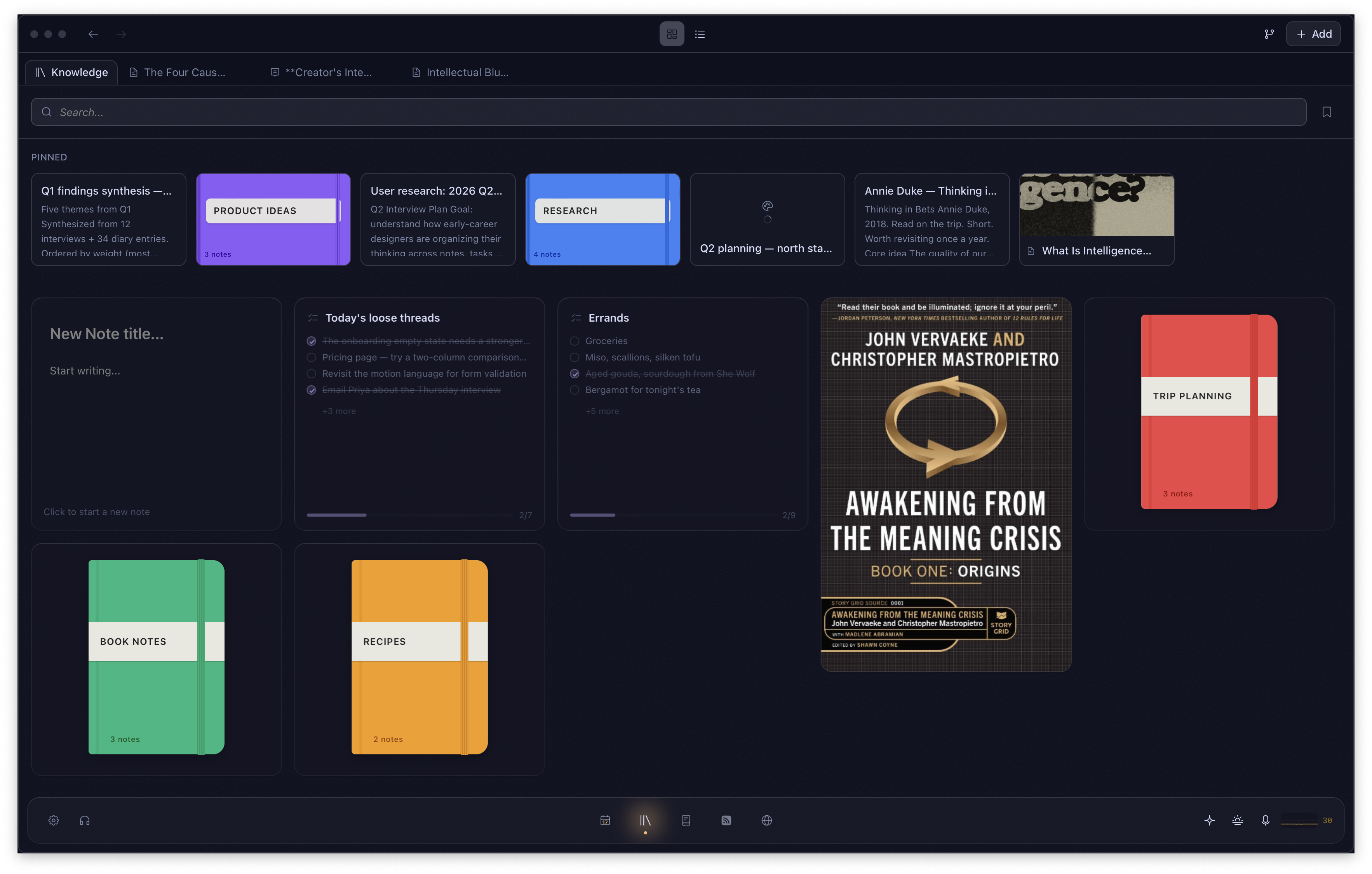
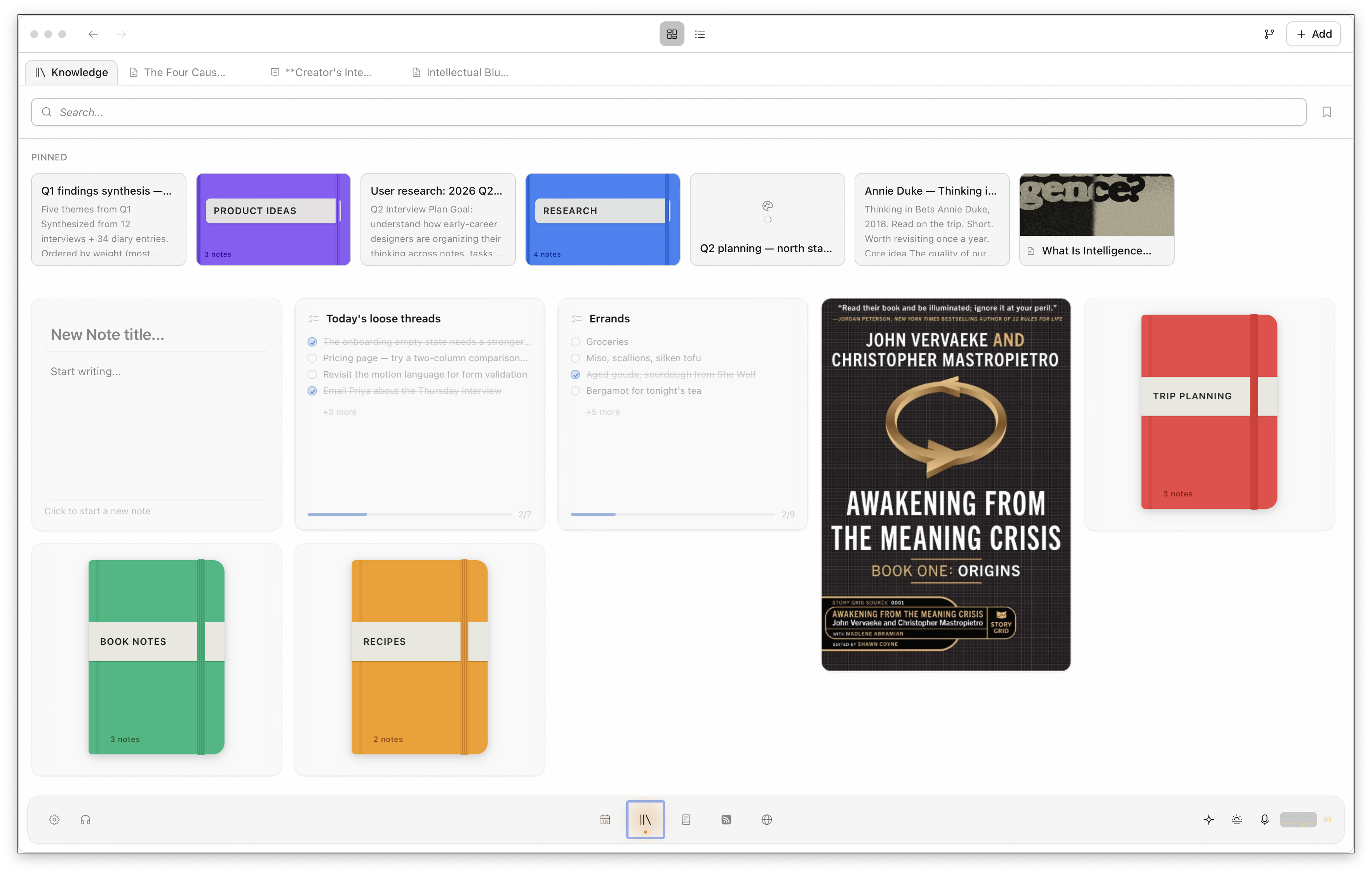
Owl brings tasks, journal, notes, canvases, flashcards, kanban boards, AI conversations, web captures and reading highlights into one native desktop app. Everything ships built in, tested together, and released together.

Tasks
Day planner, habits, streaks.
Obsidian is a great note editor. Add fifteen community plugins and you have a fragile productivity suite maintained by strangers. Owl ships as one integrated workbench from the start.
Journal
Daily reflection with context.
Notes
Code, LaTeX, outliner.
Canvases
Infinite, zoomable, connected.
Kanban
Columns, cards, due dates.
Flashcards
Decks built from your notes.
AI chat
Any model, local or cloud.
Web capture
Pages, tweets, videos.
Highlights
Kindle and Apple Books.
PDF and ePub annotation
Make highlights and collect notes.
Note intelligence
Automatically scan your notes for other potential links.

You open the app, and it all works. No plugin marketplace, no compatibility matrix. One app, and the person who built it made sure the pieces fit.

FreeWhat you get, day one

Your daily workbench. No expiration.

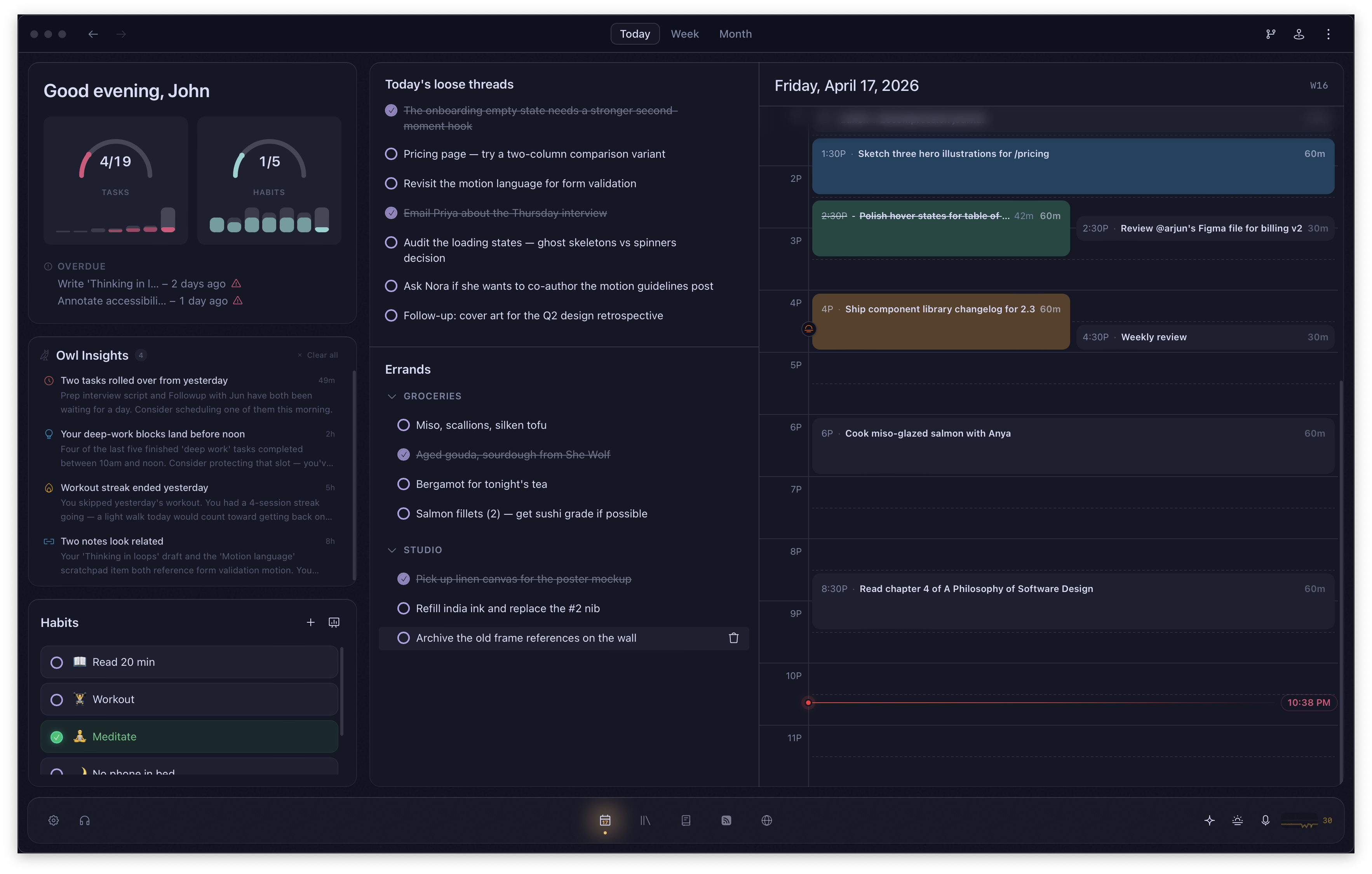
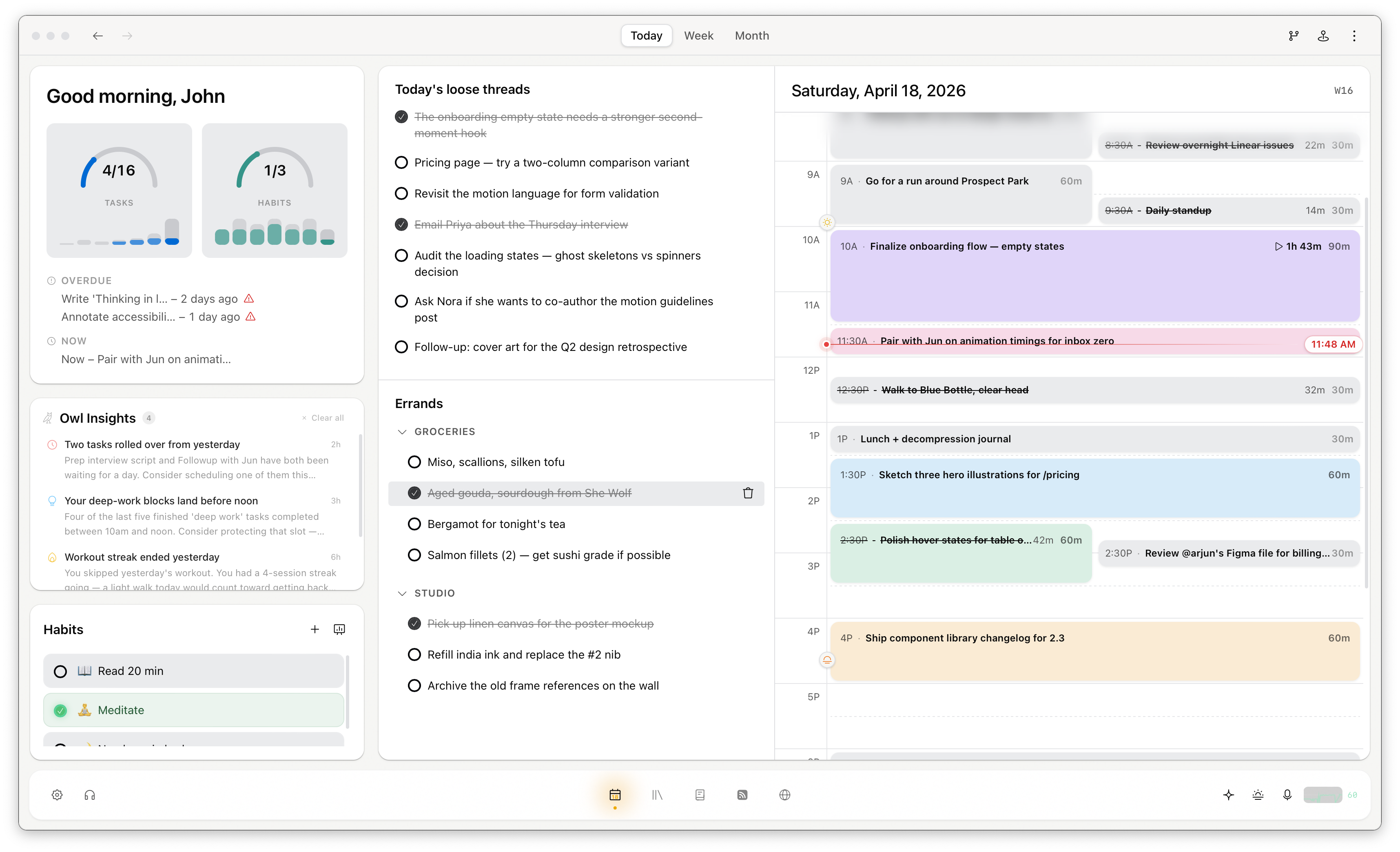
A Monday morning: you open Owl and the week is visible. Tasks on a timeline, calendar events overlaid, habits waiting to be checked off. You write a journal entry about a meeting, link it to a project note, check two things off your list before your coffee is cold. That entire workflow is the free tier.

Today view with timeline, habits, and calendarToday view with timeline, habits, and calendar
Today

Your day, laid out visually.

Drag tasks into hour blocks. See calendar events alongside them. Track habits with streaks, completion rates and heatmaps going back months. An AI briefing summarizes what is ahead.

You glance at the screen, know what is next, and start. Week and month views are there when you need to think about the shape of your time instead of the next few hours.

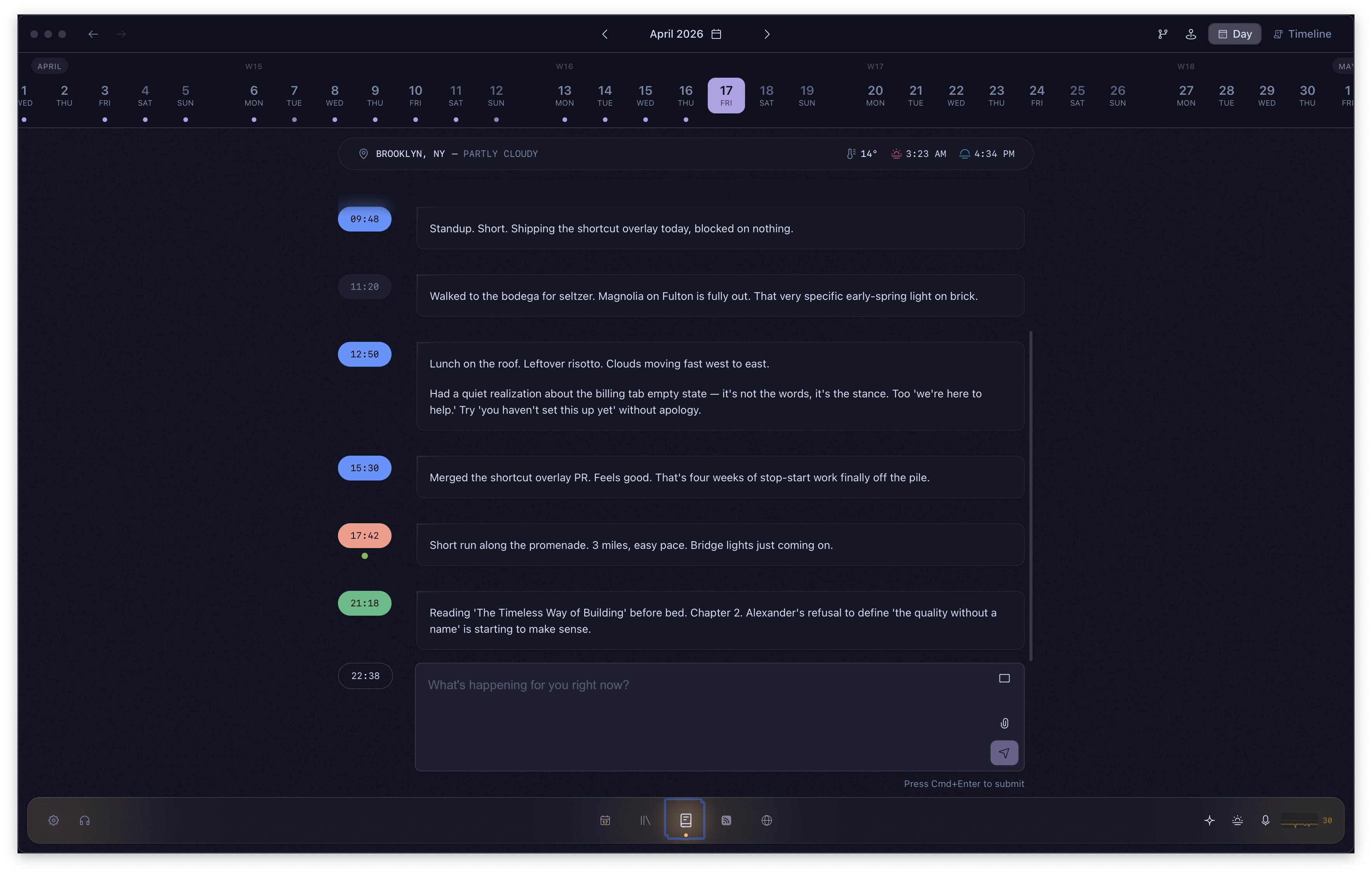
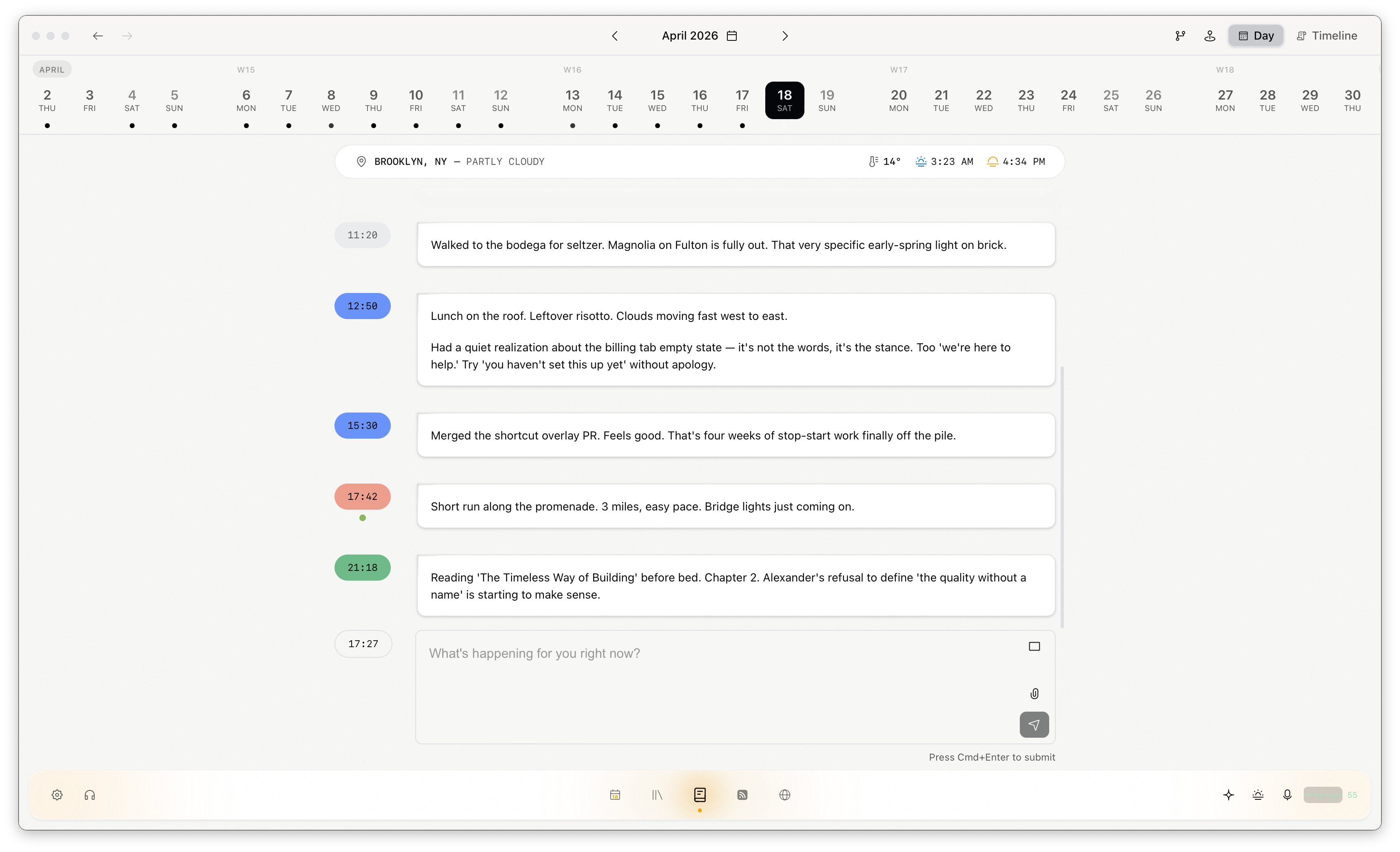
Journal view with daily entriesJournal view with daily entries
Journal

A searchable record of how you think.

A dedicated screen for daily reflection. Rich-text entries timestamped throughout the day, with weather, location, labels and images. Mention any note with @ to link your reflections to your research.

Over weeks and months, the Journal becomes a searchable record of how your thinking evolved. That has value you do not realize until you go looking for it.

Notes editor showing code blocks and outlinerNotes editor showing code blocks and outliner
Notes

An editor that scales with the work.

Grocery list to doctoral thesis. Code blocks in 24 languages, LaTeX, a 10-level outliner, wikilinks between notebooks, inline comments, slash commands. Color-coded notebooks with nested folders keep it organized.

The free tier ships every editor extension. Nothing held back.

Privacy

Your data lives on your machine.

Every note, task, and highlight is a plain Markdown file in a folder you control. If Owl disappeared tomorrow, your work is still there, readable in any editor.

Files

Your files live on your hard drive, visible in Finder. Edits on different devices merge automatically when they sync.

Sync

Pair devices with a QR code. No account to create, no server in the middle. Your laptop talks to your desktop and nobody else is involved.

Identity

Your identity is a recovery phrase stored in the system keychain. No email, no username on anyone else's server. Credentials and API keys stay in the keychain too.

Export

Everything imports from Obsidian, Logseq, or plain Markdown folders. Your data walks in and out freely.

From the desk of — John

Hi —

Owl is built by one person. I use it every day. I built it because the tools I rely on keep getting worse.

SaaS prices creep up every year for features nobody asked for. Governments pass age-verification and data-locality laws that cut off access to information across borders. The open web is balkanizing into separate networks, each with its own login, terms, and expiry date. Every cloud service mines whatever data passes through it.

Owl is built for none of that. Your data lives on your hard drive, in plain files you can read without the app. No login, no server, no subscription. Your work lives somewhere nobody else can shut down or price out.

Thank you for reading this far.

John McDowall
— John
building Owl
How Owl compares

An honest look. Gaps and all.

CapabilityOwlNotionObsidianApple NotesThings 3
Offline-first (every feature)Partial
Local-only data storageiCloudiCloud
Tasks + day plannerBasicPlugin
JournalPlugin
Rich text + outlinerMarkdownBasic
Canvas + kanbanPartialPlugins
AI with local model supportCloud onlyPlugin
Web capture + highlightsClipperPlugin
P2P device sync (free)$8/moiCloudiCloud
40+ themes, custom fontsLimited
Publish to webSeparate product$8/mo plugin
Native performance (Rust)ElectronElectronNativeNative

Notion and Obsidian are strong tools. Notion requires the internet and stores your data on their servers. Obsidian requires a stack of community plugins to match this feature set, each maintained by a different anonymous developer with no obligation to keep it working. Apple Notes and Things 3 are reliable but narrow. Owl is the only option that combines this breadth with local-first architecture and native performance.

Pricing

One app. Honest pricing.

Most free tiers are demos wearing a disguise. Owl's free tier is a real workbench you can use for years and never feel like you are missing out. The paid tier is there when the other features earn your money.

What you would be replacingMonthly
Notion$10/mo
Obsidian Sync$8/mo
Todoist Pro$5/mo
Feedly Pro$8/mo
Day One Premium$4/mo
Things 3 (amortized)$3/mo
Total$38+/month·$456+/year
Free
$0forever

A complete daily workbench with no expiration and no feature timers.

  • Today screen with day planner, habits, calendar, AI briefing
  • Journal with rich-text entries, timestamps, weather, labels
  • Notes with full editor (code blocks, LaTeX, outliner, wikilinks)
  • Notebooks with folders and organization
  • Command palette and global search
  • 40+ themes and three font controls
  • 50+ customizable keyboard shortcuts
  • Offline-first, local-only data storage
  • P2P device sync
  • Automatic local backups
Download Owl Free
Owl ProRecommended
$39once

One payment for a permanent license that includes every future update.

Everything in Free, plus:
  • Infinite canvases
  • Kanban boards
  • Flashcard decks with web publishing
  • RSS feed reader
  • Note publishing with custom domain + analytics
  • Web page, tweet, YouTube capture
  • Browser extension
  • Kindle and Apple Books highlight sync
  • AI conversations with document context
  • Local AI model support (Ollama, LM Studio)
  • Inline AI and proactive AI agent
  • Reusable AI skills and prompts
  • Voice dictation (local engine)
  • Quick capture window (global hotkey)
  • Encrypted notebooks
  • Priority on feature requests
Get Owl Pro— $39

No subscriptions. No tiers beyond these two. Upgrade when the paid features earn it.

FAQ

Questions you are probably asking.

  • You do not have to switch all at once. Download the free tier, import your notes, and run both side by side. Owl handles the same breadth with one difference: everything lives on your machine, works offline, and launches in under a second. After a week, you will know whether to move the rest over.

    The larger concern is what happens to your data if Notion changes pricing, terms, or goes away. Owl files are on your hard drive. They survive without the app.

Take your work home.

Your work deserves
a better home.

Bring all of it into one place and see what happens when nothing falls through the cracks.

Free to startLocal by defaultNo account required